The purpose of this article is to provide minimal quickstart instructions on moving to native thick-client Android development from the perspective of traditional Oracle/SUN Java EE 6 enterprise application development. We will also discuss how to adjust Java EE 6 applications to be able to run on the Chrome based browser in the Android browser as thin-client front ends.
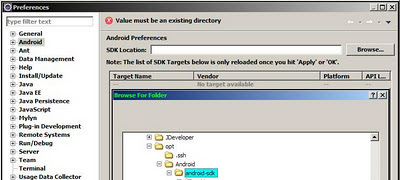
5) Load an example project using the new project wizard in Eclipse
6) Run as Android Application to either bring up the Android simulator or deploy to an Android device or AVD - if one is connected
6b) create a new Android Virtual Device
Running multiple workspaces or multiple instances of Eclipse:
You will find the need to identify your workspace - place the -showlocation option before any -product or org.eclipse.platform option. Here is an example modified eclipse.ini file for a 32 bit Java EE install of Eclipse 3.6.
Lets start with the persistence unit configuration for a simple Java SE application managed example.
We require access to the JConnect 5.5 JDBC driver jar or Sybase Adaptive Server Enterprise JDBC driver - usually your /sybase/jConnect-6_0/classes/jconn3.jar
Minimal Source - No Transaction code (only a query at thes point) no MVC separation via Locator, ApplicationContext or any EE container managed @Session or @PersistenceContext annotions.
Note: for a complete Java EE 6 distributed application example involving JPA refer to my tutorial page at EclipseLink
public class SEClient {

    // Application managed EMF and EM
    private EntityManagerFactory emf  = null;
    private EntityManager entityManager = null;
    // Reference the database specific persistence unit in persistence.xml
    public static final String PU_NAME_CREATE = "sybase_remote";
    private List@lt;bugnumber@gt; bugs;

    private void initialize(String puName) {
        Metamodel metamodel = null;
        try {
            // Initialize an application managed JPA emf and em via META-INF
            emf  = Persistence.createEntityManagerFactory(puName);
            System.out.println("Metamodel: " + emf.getMetamodel());
        } catch (Exception e) {
            e.printStackTrace();
        }
    }

    public void finalize() {
        // close JPA
        try {
            if(null != entityManager) {
                entityManager.close();
                emf.close();
            }
        } catch (Exception e) {
            e.printStackTrace();
        }
    }

    public void connect() {
        // JPA 1.0
        Query query = getEntityManager().createQuery("select object(c) from BugNumber c");
        try {
            bugs = query.getResultList();
        } catch (NoResultException nre) {
            System.out.println("_collatz: " + System.currentTimeMillis() + ": server was redeployed mid-session: computeGrid is null");

        }
    }

 public static void main(String[] args) {
  SEClient client = new SEClient();
  client.initialize(PU_NAME_CREATE);
  client.connect();
 }

    public EntityManagerFactory getEmf() {  return emf; }
 public void setEmf(EntityManagerFactory emf) {  this.emf = emf; }

 public EntityManager getEntityManager() {
        if(null == entityManager) {
            entityManager = emf.createEntityManager();
        }
        return entityManager;
 }

 public void setEntityManager(EntityManager entityManager) {  this.entityManager = entityManager; }
}


@Entity
@Table(name="JPA_BUGNUMBER")
public class BugNumber implements Serializable {
    private static final long serialVersionUID = 3132063814489287035L;

    @Id
    // keep the sequence column name under 30 chars to avoid an ORA-00972
    @SequenceGenerator(name="JPA_SEQUENCE_BUGN", sequenceName="JPA_BUGN_SEQ", allocationSize=15)
    @GeneratedValue(generator="JPA_SEQUENCE_BUGN")
    @Column(name="BUG_ID")
    private Long id;

    @Version
    @Column(name="BUG_VERSION")
    private int version;

    @Basic
    private long number;
    private int priority;
    private boolean assignedStatus;
    private String assignedTo;

    public BugNumber() {            }

    public BugNumber(String aNumber) {
        number = Integer.parseInt(aNumber);
    }

    public char[] getCharDigits() {
        return Long.toString(number).toCharArray();
    }

    public List getIntDigits() {
        List digits = new ArrayList();
        for(Character aChar : getCharDigits()) {
            digits.add(new Integer(Character.getNumericValue(aChar.charValue())));
        }
        return digits;
    }

    public int getLastDigit() {
        List numbers = getIntDigits();
        return numbers.get(numbers.size() - 1);
    }

    public long getNumber() {        return number;    }
    public void setNumber(long number) {        this.number = number;    }
    public int getPriority() {        return priority;    }
    public void setPriority(int priority) {        this.priority = priority;    }
    public boolean isAssignedStatus() {        return assignedStatus;    }
    public void setAssignedStatus(boolean assignedStatus) {        this.assignedStatus = assignedStatus;    }
    public String getAssignedTo() {        return assignedTo;    }
    public void setAssignedTo(String assignedTo) {        this.assignedTo = assignedTo;    }
    public Long getId() {        return id;    }
    public void setId(Long id) {        this.id = id;    }
    public int getVersion() {        return version;    }
    public void setVersion(int version) {        this.version = version;    }

}
Console Log output:
EL Finest]: 2011-05-03 09:46:19.777--ServerSession(27379847)--Thread(Thread[main,5,main])--Begin predeploying Persistence Unit sybase_remote; session file:/D:/wse/view_w36b/com.corp.example.jpa.SEClient/bin/_sybase_remote; state Initial; factoryCount 0
[EL Finest]: 2011-05-03 09:46:19.792--ServerSession(27379847)--Thread(Thread[main,5,main])--property=eclipselink.orm.throw.exceptions; default value=true
[EL Finest]: 2011-05-03 09:46:19.824--ServerSession(27379847)--Thread(Thread[main,5,main])--property=eclipselink.jpa.uppercase-column-names; default value=false
[EL Finer]: 2011-05-03 09:46:19.824--ServerSession(27379847)--Thread(Thread[main,5,main])--Searching for default mapping file in file:/D:/wse/view_w36b/com.corp.example.jpa.SEClient/bin/
[EL Finer]: 2011-05-03 09:46:19.839--ServerSession(27379847)--Thread(Thread[main,5,main])--Searching for default mapping file in file:/D:/wse/view_w36b/com.corp.example.jpa.SEClient/bin/
[EL Config]: 2011-05-03 09:46:19.964--ServerSession(27379847)--Thread(Thread[main,5,main])--The access type for the persistent class [class com.corp.example.jpa.model.BugNumber] is set to [FIELD].
[EL Config]: 2011-05-03 09:46:19.996--ServerSession(27379847)--Thread(Thread[main,5,main])--The alias name for the entity class [class com.corp.example.jpa.model.BugNumber] is being defaulted to: BugNumber.
[EL Config]: 2011-05-03 09:46:20.011--ServerSession(27379847)--Thread(Thread[main,5,main])--The column name for element [field assignedStatus] is being defaulted to: ASSIGNEDSTATUS.
[EL Config]: 2011-05-03 09:46:20.011--ServerSession(27379847)--Thread(Thread[main,5,main])--The column name for element [field priority] is being defaulted to: PRIORITY.
[EL Config]: 2011-05-03 09:46:20.011--ServerSession(27379847)--Thread(Thread[main,5,main])--The column name for element [field assignedTo] is being defaulted to: ASSIGNEDTO.
[EL Config]: 2011-05-03 09:46:20.011--ServerSession(27379847)--Thread(Thread[main,5,main])--The column name for element [field number] is being defaulted to: NUMBER.
[EL Finest]: 2011-05-03 09:46:20.011--ServerSession(27379847)--Thread(Thread[main,5,main])--End predeploying Persistence Unit sybase_remote; session file:/D:/wse/view_w36b/com.corp.example.jpa.SEClient/bin/_sybase_remote; state Predeployed; factoryCount 0
[EL Finer]: 2011-05-03 09:46:20.011--Thread(Thread[main,5,main])--JavaSECMPInitializer - transformer is null.
[EL Finest]: 2011-05-03 09:46:20.011--ServerSession(27379847)--Thread(Thread[main,5,main])--Begin predeploying Persistence Unit sybase_remote; session file:/D:/wse/view_w36b/com.corp.example.jpa.SEClient/bin/_sybase_remote; state Predeployed; factoryCount 0
[EL Finest]: 2011-05-03 09:46:20.011--ServerSession(27379847)--Thread(Thread[main,5,main])--End predeploying Persistence Unit sybase_remote; session file:/D:/wse/view_w36b/com.corp.example.jpa.SEClient/bin/_sybase_remote; state Predeployed; factoryCount 1
[EL Finest]: 2011-05-03 09:46:20.027--ServerSession(27379847)--Thread(Thread[main,5,main])--Begin deploying Persistence Unit sybase_remote; session file:/D:/wse/view_w36b/com.corp.example.jpa.SEClient/bin/_sybase_remote; state Predeployed; factoryCount 1
[EL Finer]: 2011-05-03 09:46:20.042--ServerSession(27379847)--Thread(Thread[main,5,main])--Could not initialize Validation Factory. Encountered following exception: javax.validation.ValidationException: Unable to find a default provider
[EL Finest]: 2011-05-03 09:46:20.042--ServerSession(27379847)--Thread(Thread[main,5,main])--property=eclipselink.logging.level; value=ALL; translated value=ALL
[EL Finest]: 2011-05-03 09:46:20.042--ServerSession(27379847)--Thread(Thread[main,5,main])--property=eclipselink.logging.level; value=ALL; translated value=ALL
[EL Finest]: 2011-05-03 09:46:20.042--ServerSession(27379847)--Thread(Thread[main,5,main])--property=javax.persistence.jdbc.user; value=dblfwk
[EL Finest]: 2011-05-03 09:46:20.042--ServerSession(27379847)--Thread(Thread[main,5,main])--property=javax.persistence.jdbc.password; value=xxxxxx
[EL Finest]: 2011-05-03 09:46:20.292--ServerSession(27379847)--Thread(Thread[main,5,main])--property=eclipselink.target-database; value=Sybase; translated value=org.eclipse.persistence.platform.database.SybasePlatform
[EL Finest]: 2011-05-03 09:46:20.292--ServerSession(27379847)--Thread(Thread[main,5,main])--property=javax.persistence.jdbc.driver; value=com.sybase.jdbc3.jdbc.SybDriver
[EL Finest]: 2011-05-03 09:46:20.292--ServerSession(27379847)--Thread(Thread[main,5,main])--property=javax.persistence.jdbc.url; value=jdbc:sybase:Tds:server:5000
[EL Info]: 2011-05-03 09:46:20.308--ServerSession(27379847)--Thread(Thread[main,5,main])--EclipseLink, version: Eclipse Persistence Services - 2.1
[EL Config]: 2011-05-03 09:46:20.308--ServerSession(27379847)--Connection(13366030)--Thread(Thread[main,5,main])--connecting(DatabaseLogin(
 platform=>SybasePlatform
 user name=> "user"
 datasource URL=> "jdbc:sybase:Tds:server:5000"
))
[EL Config]: 2011-05-03 09:46:20.433--ServerSession(27379847)--Connection(29194312)--Thread(Thread[main,5,main])--Connected: jdbc:sybase:Tds:server:5000
 User: user
 Database: Adaptive Server Enterprise  Version: Adaptive Server Enterprise/15.x/*/Fri *
 Driver: jConnect (TM) for JDBC (TM)  Version: jConnect (TM) for JDBC(TM)/6.0x* 2010
[EL Finest]: 2011-05-03 09:46:20.433--ServerSession(27379847)--Connection(29194312)--Thread(Thread[main,5,main])--Connection acquired from connection pool [default].
[EL Finest]: 2011-05-03 09:46:20.433--ServerSession(27379847)--Connection(29194312)--Thread(Thread[main,5,main])--Connection released to connection pool [default].
[EL Finest]: 2011-05-03 09:46:20.449--ServerSession(27379847)--Thread(Thread[main,5,main])--sequencing connected, state is NoPreallocation_State
[EL Finest]: 2011-05-03 09:46:20.449--ServerSession(27379847)--Thread(Thread[main,5,main])--sequence JPA_BUGN_SEQ: preallocation size 15
[EL Info]: 2011-05-03 09:46:20.48--ServerSession(27379847)--Thread(Thread[main,5,main])--file:/D:/wse/view_w36b/com.o.example.jpa.SEClient/bin/_sybase_remote login successful
[EL Finest]: 2011-05-03 09:46:20.761--ServerSession(27379847)--Thread(Thread[main,5,main])--Execute query DataModifyQuery(sql="DROP TABLE JPA_BUGNUMBER")
[EL Finest]: 2011-05-03 09:46:20.761--ServerSession(27379847)--Connection(29194312)--Thread(Thread[main,5,main])--Connection acquired from connection pool [default].
[EL Fine]: 2011-05-03 09:46:20.761--ServerSession(27379847)--Connection(29194312)--Thread(Thread[main,5,main])--DROP TABLE JPA_BUGNUMBER
[EL Fine]: 2011-05-03 09:46:20.824--ServerSession(27379847)--Thread(Thread[main,5,main])--SELECT 1
[EL Finest]: 2011-05-03 09:46:20.824--ServerSession(27379847)--Connection(29194312)--Thread(Thread[main,5,main])--Connection released to connection pool [default].
[EL Warning]: 2011-05-03 09:46:20.824--ServerSession(27379847)--Thread(Thread[main,5,main])--Exception [EclipseLink-4002] (Eclipse Persistence Services - 2.1: org.eclipse.persistence.exceptions.DatabaseException
Internal Exception: com.sybase.jdbc3.jdbc.SybSQLException: Cannot drop the table 'JPA_BUGNUMBER', because it doesn't exist in the system catalogs.

Error Code: 3701
Call: DROP TABLE JPA_BUGNUMBER
Query: DataModifyQuery(sql="DROP TABLE JPA_BUGNUMBER")
[EL Finest]: 2011-05-03 09:46:20.824--ServerSession(27379847)--Thread(Thread[main,5,main])--Execute query DataModifyQuery(sql="CREATE TABLE JPA_BUGNUMBER (BUG_ID NUMERIC(19) IDENTITY NOT NULL, ASSIGNEDSTATUS BIT default 0 NOT NULL, ASSIGNEDTO VARCHAR(255) NULL, NUMBER NUMERIC(19) NULL, PRIORITY INTEGER NULL, BUG_VERSION INTEGER NULL, PRIMARY KEY (BUG_ID))")
[EL Finest]: 2011-05-03 09:46:20.824--ServerSession(27379847)--Connection(29194312)--Thread(Thread[main,5,main])--Connection acquired from connection pool [default].
[EL Fine]: 2011-05-03 09:46:20.839--ServerSession(27379847)--Connection(29194312)--Thread(Thread[main,5,main])--CREATE TABLE JPA_BUGNUMBER (BUG_ID NUMERIC(19) IDENTITY NOT NULL, ASSIGNEDSTATUS BIT default 0 NOT NULL, ASSIGNEDTO VARCHAR(255) NULL, NUMBER NUMERIC(19) NULL, PRIORITY INTEGER NULL, BUG_VERSION INTEGER NULL, PRIMARY KEY (BUG_ID))
[EL Finest]: 2011-05-03 09:46:20.933--ServerSession(27379847)--Connection(29194312)--Thread(Thread[main,5,main])--Connection released to connection pool [default].
[EL Finer]: 2011-05-03 09:46:20.949--ServerSession(27379847)--Thread(Thread[main,5,main])--Canonical Metamodel class [com.corp.example.jpa.model.BugNumber_] not found during initialization.
[EL Finest]: 2011-05-03 09:46:20.949--ServerSession(27379847)--Thread(Thread[main,5,main])--End deploying Persistence Unit sybase_remote; session file:/D:/wse/view_w36b/com.corp.example.jpa.SEClient/bin/_sybase_remote; state Deployed; factoryCount 1
Metamodel: MetamodelImpl@31706449 [ 6 Types: , 1 ManagedTypes: , 1 EntityTypes: , 0 MappedSuperclassTypes: , 0 EmbeddableTypes: ]
[EL Finer]: 2011-05-03 09:46:21.136--ServerSession(27379847)--Thread(Thread[main,5,main])--client acquired: 3916915
[EL Finer]: 2011-05-03 09:46:21.152--ClientSession(3916915)--Thread(Thread[main,5,main])--acquire unit of work: 19647819
[EL Finest]: 2011-05-03 09:46:21.152--UnitOfWork(19647819)--Thread(Thread[main,5,main])--Execute query ReadAllQuery(referenceClass=BugNumber sql="SELECT BUG_ID, ASSIGNEDSTATUS, ASSIGNEDTO, NUMBER, PRIORITY, BUG_VERSION FROM JPA_BUGNUMBER")
[EL Finest]: 2011-05-03 09:46:21.152--ServerSession(27379847)--Connection(29194312)--Thread(Thread[main,5,main])--Connection acquired from connection pool [default].
[EL Fine]: 2011-05-03 09:46:21.152--ServerSession(27379847)--Connection(29194312)--Thread(Thread[main,5,main])--SELECT BUG_ID, ASSIGNEDSTATUS, ASSIGNEDTO, NUMBER, PRIORITY, BUG_VERSION FROM JPA_BUGNUMBER
[EL Finest]: 2011-05-03 09:46:21.152--ServerSession(27379847)--Connection(29194312)--Thread(Thread[main,5,main])--Connection released to connection pool [default].
A question by C. J. Date in point #1 on page 81 chapter 5 "Relational Algebra" of the 2005 book : "Database In Depth - Relational Theory for Practitioners" has caught my attention. I quote:
"First, the operators are generic; they apply, in effect, to all possible relations. For example, we don't need one specific join operator to join employees and departments and another, different join operator to join suppliers and shipments. (Incidentally, do you think ano analogous observation applies to object-oriented systems?)"
This tutorial describes the analysis, design, implementation and deployment of a distributed JEE6 application that makes use of the EJB 3.1, JPA 2.0, JSF 2.0, Servlet 3.0 and JAX-RS API implemented as part of the Oracle GlassFish Server 3.1 distribution. The Java IDE used for this tutorial is the tightly integrated SUN NetBeans 7.0 release that will be in beta until April 2011.
Technology Summary:
Normally we do not decide on what APIs will be in use before we analyse the requirements. However, here is the list of technologies we are using - as we finalize the implementation.
Problem:
The Collatz conjecture or (3n + 1) problem is currently not proved. There have been attempts at verifying collatz up to 2^61 - however, massive amounts of scalar processing power is required to do this because the problem is non-linear and therefore must be brute force simulated even with optimizations.
The algorithm is as follows for the set of positive integers to infinity.
odd numbers are transformed by 3n + 1
even numbers are divided by 2
If you think in base 2, we see that for odd numbers we shift bits to the left, add the number to the result and set bit 0. For even numbers we shift bits to the right. We therefore have a simplified algorithm as follows.
odd: next binary = number << 1 + number + 1
even: next binary = number >> 1
Observation 1: the maximum value remains at or around 2x the number of bits in the start number - at least so far in my own simulations up to 640 billion.
We stop iteration and record the max path and max value when the sequence enters the 4-2-1 loop after the first 1 is reached. This sequence must be simulated for all positive integers up to the limit of the software being used. Fortunately, in Java (and .NET3) we can use BigInteger which supports unlimited length integers - as we would quickly overflow using a 64 bit long as soon as we started iterating numbers over 32 bits.
Observation 2: I have determined - via a week of simulation distributed among 16 different machines in parallel - that we will need native computation.
Requirements:
Analysis:
Use Cases:
Design:
Data Model:
The following UML class diagram details the data model for the business objects. We will be using JPA entities and mappedsuperclass artifacts.
Oracle WebLogic Server 12c is an excellent full featured Java EE 6 compliant application server suitable for development and production. In this tutorial I will details how to get a Java EE application running on WebLogic 12c using JSF 2.0, JPA 2.0 (using the EclipseLink 2.5 provider) on top of any database like Derby 10.8.
Install OEPE for WebLogic 12c
Deploy JSF shared library
Create EAR, EJB, Model and Web Eclipse projects
Configuration:
Add JSF facet and capabilities
add to weblogic.xml
<wls:library-ref>
<wls:library-name>jsf</wls:library-name>
<wls:specification-version>2.0</wls:specification-version>
<wls:exact-match>true</wls:exact-match>
</wls:library-ref>
by modifying the library jar in the modules directory.
in your $Weblogic\wls12110\modules dir
ignore org.eclipse.persistence_2.0.0.0_2-3.jar
but overwrite
javax.persistence_2.0.0.0_2-0.jar
with
eclipselink.jar
from http://www.eclipse.org/eclipselink/downloads/milestones.php
After restarting Eclipse OEPE and Weblogic 12c we see the latest version of EclipseLink
JEE6 has been released. Here are some of the highlights of the new version of the API.
1) JPA (Java Persistence API) 2.0 (JSR-317)
CDI (Contexts and Dependency Injection) (JSR 299)
- including Servlet 3.0 where
- web.xml is optional but still overrides the new annotations like @WebServlet
- new init() method annotations (existing on other components) - @PostConstruct and
- new WebProfile deployment model
2) DI (Dependency Injection) for Java (JSR 330)
3) Bean Validation (JSR 303)
4) JAX-RS (RESTful Web Services) (JSR 311)
5) JSF (Java Server Faces) 2.0 (JSR 314)
6) EJB (Enterprise Java Beans) 3.1 (JSR 318) and EJB Lite
Since the Oracle WebLogic 10.3.4.0 release on 15 Jan 2011 - EJB injection on a JSF managed bean can be accomplished by pure annotation. For example, here is part of the Collatz Distributed project where we inject a @Stateless session bean into an @ManagedBean JSF 2.0 managed bean. The Stateless session bean is itself dependency injected with a JPA 2.0 @PersistenceContext EntityManager for ORM JTA transactions either via standard Java EE 5 EJB tier JTA container managed transactions or even in the Web container using EJB 3.1 Lite and JTA 1.1 as part of the Web Profile.
@Stateless(mappedName = "ejb/CollatzFacade")
public class CollatzFacade implements CollatzFacadeRemote, CollatzFacadeLocal {

    @PersistenceContext(unitName = "CollatzGF-ejbPU", type=PersistenceContextType.TRANSACTION)
    private EntityManager entityManager;
...
}

@ManagedBean(name="collatzBean")
@SessionScoped
public class MonitorManagedBean {
    @EJB(name="ejb/CollatzFacade")
    private CollatzFacadeLocal collatzFacade;
..
}
The following technical details and design issues are random observations about the JPA API and Java in general. I try to verify through experimentation every fact that appears here - but use this list at your own risk.
DI1: An EntityManager instance is not thread safe @ThreadSafe by design - however a container managed entityManager that is transactional (with default EE PersistenceContextType.TRANSACTION and default EE scoped transaction-type="JTA") is thread safe because you deal directly with a proxy wrapper provided by the enterprise container ($ProxyNN). The container is able to manage simultaneous access to the referenced EntityManager as well as provide services via bytecode instrumentation/weaving like change tracking, security, resource management and transactions. Therefore I recommend a container managed entityManager where possible.
DISCLAIMER: This page reflects investigation into how ORM/JPA developers can use the Java Persistence API (part of Java EE 5/6) and the Spring Framework inside existing WebLogic and Spring releases. It does NOT imply any formal certification from SpringSource, IBM, RedHat or Oracle on any technical details or configuration within this document.
This content is undergoing an expansion as of 20101220 in enhancement # 332953from an EE enthusiast.
Purpose
A portion of enterprise development uses the Spring framework which is an alternative to traditional JEE/EJB distributed transactions(1.0), local transactions (2.0) and transactional SE frameworks (3.0). Spring has grown into as large a framework as JEE6 from its original goal of providing a simpler less verbose enterprise MVC framework. The spring framework can be used in conjunction with or as a replacement for EJB 3.1 technologies.
This document is for Spring developers that wish to use EclipseLink JPA as their persistence provider or for Spring developers that are migrating from another ORM/JPA provider.
An open source persistence provider framework can be the JPA or ORM provider for Spring beans in Spring based applications.
The API provided by the Spring framework can range from using the dependency injection (DI) features along with the Aspect Oriented Programming (AOP) support - all the way to using declarative transactions and management of remote resources.
In this tutorial page we will concentrate on providing support for developers and projects that wish to use JPA with Spring applications and we will demonstrate a very simple web application that uses a JTA or local RESOURCE_LOCAL persistence unit and use Spring's @Autowired, @Controller, @RequestMapping, @Repository and possibly the '''AOP''' @Aspect and @Around annotations as required.
JPA Enterprise Application running on Spring inside WebLogic Server
As most enterprise applications that use Spring will do so via a web application - instead of a Web/EJB EE combination - we will concentrate on Web (WAR) applications.
WebLogic offers the following services to Spring applications
Runs Spring 2.5.3 applications out of the box
Provides a simplified deployment model surrounding the Application Context - we will also use this.
Provides Spring DI and AOP support to non-Spring applications
Provides spring MBeans for runtime configuration details - We will verify this shortly
The primary use case we will prototype for this tutorial is one where the application uses Spring (either managing its' own local transactions, or using the transaction manager in WebLogic for distributed transactions) as the enterprise container on WebLogic Server. WebLogic currently support Spring 2.5.3 and Dependency Injection using Spring in non-Spring applications via the open source Pitchfork project.
Therefore theoretically we should be able to use Spring AOP and other DI annotations in our application without any extra configuration - we will verify this.
A secondary use case will be migration of a SpringSource Tool Suite 2.5.0.M3 (based on Eclipse 3.6 and Apache Tomcat 6.0.20) based native Hibernate project to one that uses EclipseLink JPA.
JEE and Spring correspondence
Spring can be used in parallel with formal EE specification technologies like IIOP Remote Session Beans and Transactions or as an alternative to them using Spring's remote RMI/JAX-RPC/WS proxying and declarative transactions/rollback support.
However, Spring does not provide native distributed transaction support or native ORM support - in both these cases JEE must be used.
Distributed transactions via transactions that occur across remote session bean methods
ORM persistence is provided via JPA using either http://www.eclipselink.org or www.hibernate.org as the provider - or via native ORM for either of these persistence providers.
Using the Spring framework as the EE container allows the user to run enterprise applications on simple JSR-154 Servlet containers like Tomcat, Jetty, WebSphere CE, Spring TC or Spring DM/Virgo
The spring framework treats all EE artificts as Spring Beans.
Architecture
There are 3 standard tiers to our web application.
presentation/view layer (JSP/JSF pages)
controller layer (Controller Servlet)
integration/data-access layer (Spring beans)
The cross-cutting concerns are
The data model (Entities)
Logging
Transaction Management (Spring beans)
We will be using standard JPA Entities for our data model domain objects.
The domain objects will be managed by Spring beans that act as Data Access Objects between our Entities and the persistence store
Installation
WebLogic 10.3.4.0
Oracle WebLogic http://www.oracle.com/technetwork/middleware/ias/downloads/fusion-certification-100350.html officially supports Spring 2.5.x - we will be verifying this July 2008 statement in the http://www.oracle.com/technetwork/middleware/ias/downloads/oracle-wls-certification-10gr3-matr-129284.xls System Requirements and Supported Platforms for Oracle WebLogic Server 10.3 spreadsheet - page 2.
In WebLogic 10.3.3.0 there exists 3 spring jars in the modules directory - these are internally wrapped API that support the 2.5.3 version of Spring as indicated. We may upgrade these to work with Spring 3 as long as we do not encounter issues between 2.5.3 and 3.0 dependency injection. The http://www.springsource.com/products/pitchfork/pitchfork-faq pitchfork jar is part of the combined Oracle and SpringSource open source project for metadata translation of http://www.jcp.org/en/jsr/detail?id=250 JSR-250 annotations for both WebLogic ans Spring - started by Rod Johnson of Interface21 and Michael Chen of BEA under both the Apache and EPL licenses.
WebLogic has used Spring as its AOP (Aspect Oriented Programming) engine since June 2005 to provide support for DI (Dependency Injection) of resources and functionality in a Proxy' implementation on the server that contains a reference to the actual business object (Bean or EJB). The container uses Spring AOP to bytecode weave - at runtime - the proxy so that cross-cutting concerns can be architected properly. By instrumenting a business object at runtime using http://en.wikipedia.org/wiki/Aspect-oriented_programming AOP we are able to provide dynamic functionality before and after a client operation in support of pre and post operations for transactions and security for example. http://oss.oracle.com/projects/pitchfork/ com.bea.core.repackaged.springframework.pitchfork_1.3.0.0_2-0.jar
com.bea.core.repackaged.springframework.spring_1.1.0.0_2-5-3.jar com.bea.core.weblogic.spring.instrument_1.2.0.0.jar
The notable thing about using the '''com.bea.core''' namespace is that it will not confict with any com.springsource Spring versions shipped with Spring EAR applications.
From what I can see there is a bit of history on Spring and WebLogic cooperation
The wlserver_10.3/server/lib/weblogic-spring.jar contains WebLogic specific integration with the above 3 spring jars
The wlserver_10.3/server/lib/console-ext/spring-console.jar contains WebLogic specific http://download.oracle.com/docs/cd/E12839_01/web.1111/e14453/enable_console_ext.htm#CIHCAIBE integration with the WebLogic admin console
WebLogic 10.3.3.0 Default Spring Support
If you try to deploy a Spring framework based application - you will see the following CNFE (ClassNotFoundException) or similar depending on what Spring JSR-250 annotations or XML markup you use.
_21-Dec-2010 3:52:51 o'clock PM EST_ _Error_ _HTTP_ _BEA-101371_ _There was a failure when processing annotations for application F:\wse\view_w35e\org.eclipse.persistence.example.jpa.spring.weblogic.enterpriseWeb\WebContent. Please make sure that the annotations are valid. The error is org.springframework.web.servlet.DispatcherServlet_
_21-Dec-2010 3:52:51 o'clock PM EST_ _Error_ _Deployer_ _BEA-149265_ _Failure occurred in the execution of deployment request with ID '1292964771051' for task '1'. Error is: 'weblogic.application.ModuleException: Failed to load webapp: 'springhypercube''
weblogic.application.ModuleException: Failed to load webapp: 'springhypercube'
at weblogic.servlet.internal.WebAppModule.prepare(WebAppModule.java:393)
at weblogic.application.internal.flow.ScopedModuleDriver.prepare(ScopedModuleDriver.java:176)
at weblogic.application.internal.flow.ModuleListenerInvoker.prepare(ModuleListenerInvoker.java:199)
at weblogic.application.internal.flow.DeploymentCallbackFlow$1.next(DeploymentCallbackFlow.java:517)
at weblogic.application.utils.StateMachineDriver.nextState(StateMachineDriver.java:52)
at weblogic.utils.classloaders.GenericClassLoader.findLocalClass(GenericClassLoader.java:297)
at weblogic.utils.classloaders.GenericClassLoader.findClass(GenericClassLoader.java:270)
at weblogic.utils.classloaders.ChangeAwareClassLoader.findClass(ChangeAwareClassLoader.java:64)
at java.lang.ClassLoader.loadClass(ClassLoader.java:307)
at java.lang.ClassLoader.loadClass(ClassLoader.java:248)
In my case, this is because of the standard Spring DispatchServlet which replaces your own FrontController, FacesServlet or StrutsController - single point of control in web.xml FrontController org.springframework.web.servlet.DispatcherServlet contextConfigLocation/WEB-INF/servlet-config.xml
The reason that the '''org.springframework.web.servlet.DispatcherServlet''' class cannot be loaded by WebLogic is either that it is unavailable or that there is another version in the classpath (not likely or we would get a ClassCastException).
The DispatcherServlet is inside org.springframework.web.servlet-3.0.5.RELEASE.jar
You therefore need to distribute the Spring jars or place them on the server as explained in the section
Systematic Inclusion of Spring libraries in WebLogic
The goal is to get the latest Spring 3.0.5 working with the latest WebLogic 10.3.4.0. Hopefully we do not need to revert to using the supported Spring 3.5.3 or 3.5.6 versions.
The following ClassNotFoundExceptions are being eradicated one at a time usually be easily matching the class with the appropriate 1 of 20 Spring module. It would be nice to use some sort of OSGI support for dynamic module loading - we are only using PDE at this point.
org.springframework.web.servlet.DispatcherServlet is in org.springframework.web.servlet-3.0.5.RELEASE.jar
org.apache.commons.logging.Log is in commons-logging.jar
org.springframework.web.util.UrlPathHelper is in org.springframework.web-3.0.5.RELEASE.jar
org.springframework.context.ApplicationContext is in org.springframework.context-3.0.5.RELEASE.jar
org.springframework.beans.factory.ListableBeanFactory is in org.springframework.beans-3.0.5.RELEASE.jar
org.springframework.core.io.support.ResourcePatternResolver is in org.springframework.core-3.0.5.RELEASE.jar
Alright, we are now deployed and at the point where we are looking for the persistence unit - which is not properly configured yet.
Caused By: java.lang.IllegalArgumentException: No persistence unit named 'spring' is available in scope springhypercube. Available persistence units: []
at weblogic.deployment.ModulePersistenceUnitRegistry.getPersistenceUnit(ModulePersistenceUnitRegistry.java:132)
at weblogic.deployment.BasePersistenceContextProxyImpl.(BasePersistenceContextProxyImpl.java:39)
We are currently running on a modified server (so we do not have to ship the Spring modules with the EAR/WAR) with the following change to $WLS_Server/wlserver_10.3/common/bin/commEnv.cml:151
set SPRING_CP=C:/opt/spring305/dist
set WEBLOGIC_CLASSPATH=%SPRING_CP%/org.springframework.web.servlet-3.0.5.RELEASE.jar;C:/opt/spring3/commons-logging.jar;%SPRING_CP%/org.springframework.web-3.0.5.RELEASE.jar;%SPRING_CP%/org.springframework.context-3.0.5.RELEASE.jar;%SPRING_CP%/org.springframework.beans-3.0.5.RELEASE.jar;%SPRING_CP%/org.springframework.core-3.0.5.RELEASE.jar;%JAVA_HOME%\lib\tools.jar;%WL_HOME%\server\lib\weblogic_sp.jar;%WL_HOME%\server\lib\weblogic.jar;%FEATURES_DIR%\weblogic.server.modules_10.3.4.0.jar;%WL_HOME%\server\lib\webservices.jar;%ANT_HOME%/lib/ant-all.jar;%ANT_CONTRIB%/lib/ant-contrib.jar
2) And manually enter the jars below...
Instead of picking individual jars - just add everything from the dist directory to your in-Web lib directory, or directly on the server on either your domain lib or the modules dir of the server.
\user_projects\domains\base_domain\lib
\modules
There are several options for getting the Spring framework enabled for your Spring WAR in WebLogic Server. I have ordered them in decreasing impact on the WebLogic server config and increasing application managed state.
Option 1: Spring library jars highest in WEBLOGIC_CLASSPATH var in commEnv.cmd script - in use
This option will override anything on the server and deployed WAR's (except prefer-application-packages overrides). It will deal with most classLoader and CNFE issues. Later we may want to refactor how the Spring modules are packaged to minimize server impact.
Option 2: Spring library jars in WebLogic modules directory
Option 3: Spring library jars in WebLogic Domain lib directory
Option 4: Spring library jars in shared separate EAR library
Option 5: Spring library jars deployed with EAR APP-INF/lib directory using '''prefer-application-packages''' override
Option 6: Spring library jars deployed with WAR lib directory
Eclipse 3.6 Setup Standard Eclipse 3.6 EE
Spring must be configured as follows. SpringSource Tools Suite 2.5.1
Spring will run out of the box on Apache Tomcat 6.0.20 JNDI Datasource Setup EclipseLink JAR Spring JARs
Create Enterprise Projects
*Possible configurations of the projects are...
*Using the default http://download.oracle.com/docs/cd/E12839_01/web.1111/e14453/simplified_configuration.htm#BABBJEDI WebLogicJtaTransactionManager
SC1: WAR only project with entities/beans inside war jar.
SC2: WAR only project with entities/beans inside separate domain jar.
SC3: EE EAR project with entities/beans inside the war project
SC4: EE EAR project with entities/beans inside separate ejb.jar project
SC5: EE EAR project with entities/beans inside separate domain jar project
Object Model
Following Scenario SC3 we will place our entities inside Dependency Injection
@Controller
@Autowired
@RequestMapping
@Repository
@Transactional
Declarative transaction management - like http://www.jcp.org/en/jsr/detail?id=220 JSR-220 / http://www.jcp.org/en/jsr/detail?id=318 JSR-318 EJB 3.0/3.1 transactional stateless and stateful session bean annotations via the javax.ecj.SessionSychronization package updated for non-remote calls (2.0) and non-EE (SE) clients in (3.0)
Web.xml
The version of the xmlns:web namespace must be 2.5 not 2.4
Add a persistence-ref for this application managed persistence unit persistence/em spring
org.eclipse.persistence.jpa.PersistenceProvider
The SPI file javax.persistence.spi.PersistenceProvider containing the text org.eclipse.persistence.jpa.PersistenceProvider must be placed at the root of where the entities/beans are off of META-INF/services
Persistence.xml servlet-config.xml application-config.xml
If you were using a Hibernate SessionFactory for ORM you could describe your entities in the AnnotationSessionFactoryBean bean element to match the class elements from persistence.xml - if auto-discovery was not enabled
Transaction Manager Configuration
If we use the default WebLogicJtaTransactionManager we get the following Spring beans by default when the application context is wrapped in a parent proxy by WebLogic
ref="transactionManager" - a subclass of org.springframework.transaction.jta.jtaTransactionManager Configuration MBeans
On WebLogic Server we get the following Spring beans by default when the application context is wrapped in a parent proxy.
Both of these MBeans should be running off the platform MBeanServer - I will need to verif this.
ref="editMBeanServerConnection"
ref="runtimeMBeanServerConnection"
Servlet Client Start Server Publish EAR Console Output Browser Output
Change Log
20101220 - start tutorial using Spring 3, SpringSource Tool Suite 2.5.0, AspectJ 1.6 weaver at 3019.
This UML Class diagram describes a portion of the EclipseLink 2.0 API both internal and external classes and interfaces and more specifically the JPA 2.0 Metamodel API
This UML Sequence diagram illustrates the core of batch writing in EclipseLink
WebLogic Console and JPA Persistence Providers:
WebLogic ships with support for JPA providers such as EclipseLink and Kodo. In order to use EclipseLink you will either want to set the <provider> to org.eclipse.persistence.jpa.PersistenceProvider or enable EclipseLink as the default JPA provider for your WebLogic domain.
Once your EE application is deployed, you may view which persistence units are available either as container managed persistence units via the EJB container or application managed units via the Web container.
Extended properties such as the container defined JTA data source here can be verified here as well.
GlassFish JPA Deployment:
Issues:
EJB module ordering in the application.xml deployment descriptor of your EE EAR is significant in GlassFish - See EclipseLink bug 323148 and comment # 9 of EclipseLink bug 293191. This issue is that weaving/bytecode-instrumentation will not have been run yet on the persistence unit in an EJB module if the WAR module that uses/injects a session bean (itself injected with a persistence context) is processed first. This EAR module order in the order of use looks to only be an issue with JSF applications.
Debugging JPA container managed transactional applications in WebLogic Server from Eclipse
If you are regularly debugging client EE or server code running on WebLogic server from an IDE like Eclipse Galileo - you will need to increase the default transaction timeout from 30 seconds to something like 300n seconds.
Otherwise you will see a transaction timout exception like the following - for example during a standard entityManager persist on a stateless session bean that uses a transactional @PersistenceContext injection of the persistence unit.
Stacktrace:
javax.ejb.EJBException: Transaction Rolledback.: weblogic.transaction.internal.TimedOutException: Transaction timed out after 34 seconds
 at weblogic.transaction.internal.ServerTransactionImpl.wakeUp(ServerTransactionImpl.java:1733)
 at weblogic.transaction.internal.ServerTransactionManagerImpl.processTimedOutTransactions(ServerTransactionManagerImpl.java:1578)
 at weblogic.transaction.internal.TransactionManagerImpl.wakeUp(TransactionManagerImpl.java:1900)
 at weblogic.transaction.internal.ServerTransactionManagerImpl.wakeUp(ServerTransactionManagerImpl.java:1488)
 at weblogic.transaction.internal.WLSTimer.timerExpired(WLSTimer.java:35)
 at weblogic.timers.internal.TimerImpl.run(TimerImpl.java:273)
 at weblogic.work.SelfTuningWorkManagerImpl$WorkAdapterImpl.run(SelfTuningWorkManagerImpl.java:528)
 at weblogic.work.ExecuteThread.execute(ExecuteThread.java:201)
 at weblogic.work.ExecuteThread.run(ExecuteThread.java:173)
nested exception is: weblogic.transaction.internal.TimedOutException: Transaction timed out after 34 seconds
 at weblogic.ejb.container.internal.EJBRuntimeUtils.throwEJBException(EJBRuntimeUtils.java:148)
 at weblogic.ejb.container.internal.BaseLocalObject.postInvoke1(BaseLocalObject.java:567)
 at weblogic.ejb.container.internal.BaseLocalObject.__WL_postInvokeTxRetry(BaseLocalObject.java:427)
 at org.eclipse.persistence.example.jpa.server.business.ApplicationService_5ptwty_ApplicationServiceLocalImpl.query(ApplicationService_5ptwty_ApplicationServiceLocalImpl.java:193)
 at org.eclipse.persistence.example.jpa.server.weblogic.enterprise.presentation.FrontController.processGliderCommand(FrontController.java:293)
The following WebLogic console page is used to increase the transaction timeout : Domain|Configuration|JTA
Tomcat Deployment:
Even though Tomcat is only a web container and does not supply a transactional EJB container - we can still deploy JPA applications using application managed sessions.
64 Bit Tomcat: Since tomcat is almost entirely a java application and therefore uses 32/64 bit agnostic bytecode we can run either version on 64 bit operating systems. The only difference between the 32 and 64 bit versions of tomcat is for the non-java based windows services executable and dll (tcnative-1.dll and tomcat7.exe). If you run tomcat from the command line then both versions are the same.
Customization:
Referencing Remote Persistence Archives:
Normally the persistence classes (Entities, MappedSuperclasses, Embeddables and Transient classes) are either part of the module containing the persistence.xml descriptor or in a separate jar that is packaged with the application (whether standalone SE or server based EE).
1) Separate Entity jar
For example, in the client SE jar we define persistence.xml in the location /src/META-INF/persistence.xml and reference entities that can be shared between modules.


 5) Load an example project using the new project wizard in Eclipse


